3DHISTECH MRXS Slides in the Browser
Open the slides your 3DHISTECH Pannoramic saves, as they are. Nothing to convert, nothing to upload. A large slide starts showing right away, because the viewer reads only the part you look at.
An MRXS slide is a .mrxs file plus a folder of the same name. Keep them together.
How It Opens
- A folder on your disk: the
.mrxsfile with its folder of the same name, in Chrome and Edge. See Local Files. - One zip made without compression, in any browser, from your disk or its address. See Zip Without Compression.
- An address of the zip or the
.mrxsfile:https://,s3://orgs://. With the.mrxslink, its folder must sit next to it. See Remote URLs. - Private data, with a private link or a token. See Private Images and Slides.
What You Will See
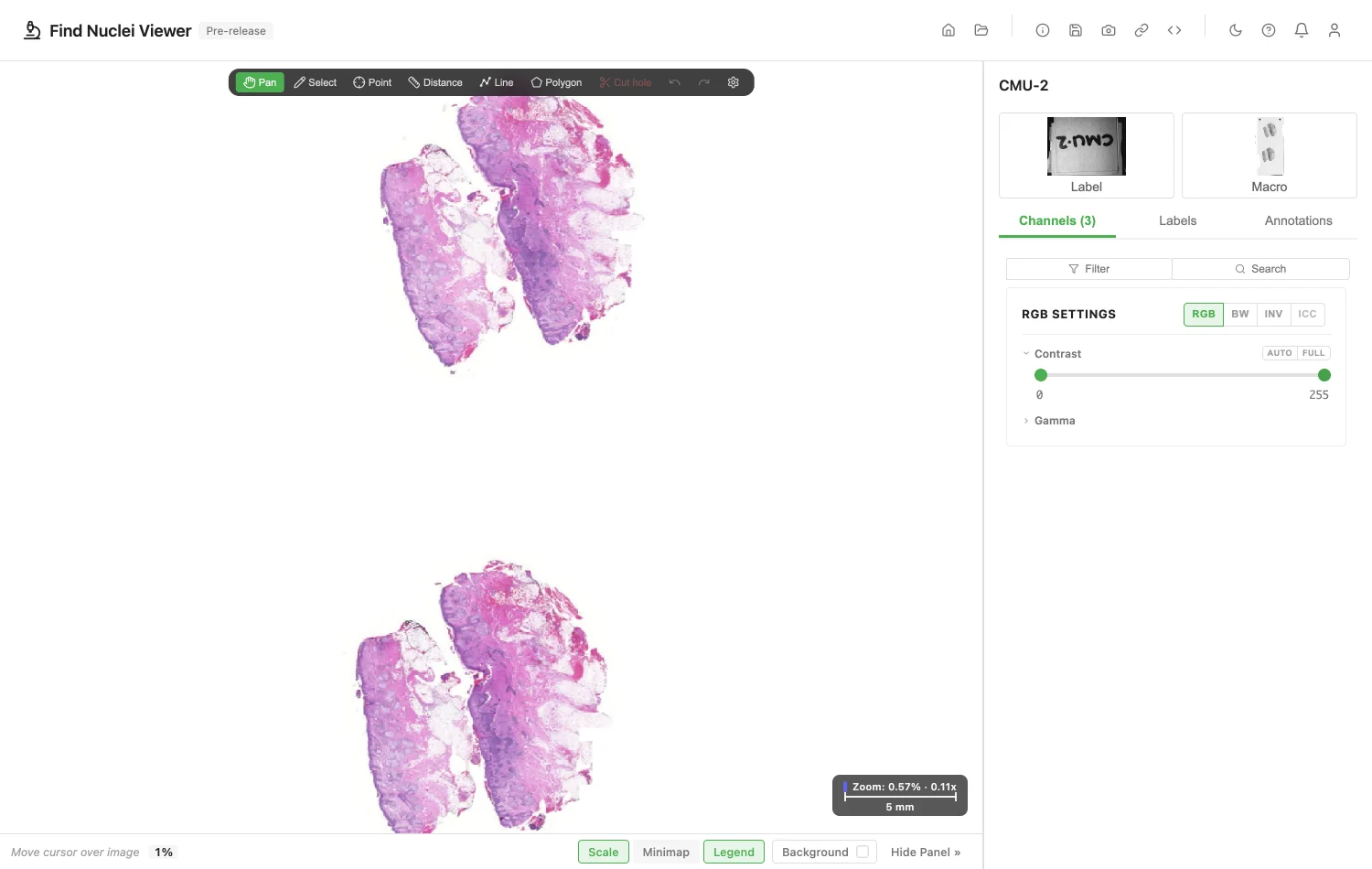
- The slide. Zoom from the whole slide down to single cells. Bare glass around the tissue is cropped away.
- Orientation. The slide appears as the scanner stored it, often turned 90 degrees against other scanners. OpenSlide and QuPath show it the same way.
- Fluorescence. Three channels, one per filter, with names and colours from the file.
- Label and Macro. They appear under the title. Click one to enlarge it. A label may show patient details. The viewer shows it and never saves or sends it.
- Compression. JPEG, PNG and BMP.
- Pixel size and magnification. Both come from the slide, so measurements read in µm and the zoom bar shows the objective. To set your own, see Pixel Size and Magnification.
If a Slide Does Not Open
The viewer tells you why.
| What the file has | What the viewer says |
|---|---|
| A zip made with compression | The files in this zip are compressed, so they cannot be read in parts. Unzip it and open the folder, or make the zip again without compression (zip -0 -r slide.zip folder). |
| Another compression | This MRXS slide uses a compression the viewer cannot read yet. |
| Another layout | This MRXS slide has a layout the viewer cannot read yet. |
| A damaged or incomplete slide | This MRXS slide looks damaged or incomplete. |
Annotations
Import GeoJSON or OME-XML, and export both, from the Annotations panel. Send a link that opens the slide with its annotations. Exchanging Annotations shows how. To draw, measure and label shapes on the slide, see Annotations.
Public Slides to Try
OpenSlide shares test slides in its Mirax folder. Download a slide, then drop it on the viewer. They are CC0. Unpack the zip, or make it again without compression.
For Your IT Team
To open a slide by address, the server must answer byte-range requests and allow them through CORS. For a bucket, allow GET and the Range header in its CORS rules. What the Server Needs has the details.
When a server cannot send parts of a file, the viewer says so. Download the slide and open it from your computer.
Addresses that start with s3:// and gs:// work too.
Image credits
The screenshot uses CMU-2.mrxs from the OpenSlide test data, CC0. See Sample Data and Credits.
Privacy
The slide is read in your browser. Opening one counts as one opened image of the kind "3DHISTECH MRXS slide". The file name and address are never recorded. See the privacy policy.
Product names are trademarks of their owners. Find Nuclei is not affiliated with them.