Embedding in Publications
Embed an interactive OME-ZARR viewer in any web page with two lines of HTML. Designed for journals, data portals, and institutional repositories.
Two Lines of HTML to View Microscopy Data on Any Web Page explains the gap this fills. Browser-based OME-ZARR viewing is largely a solved problem, but every existing solution assumes the viewer is the page, which is no use when the page is your article.
From a View to an Embed
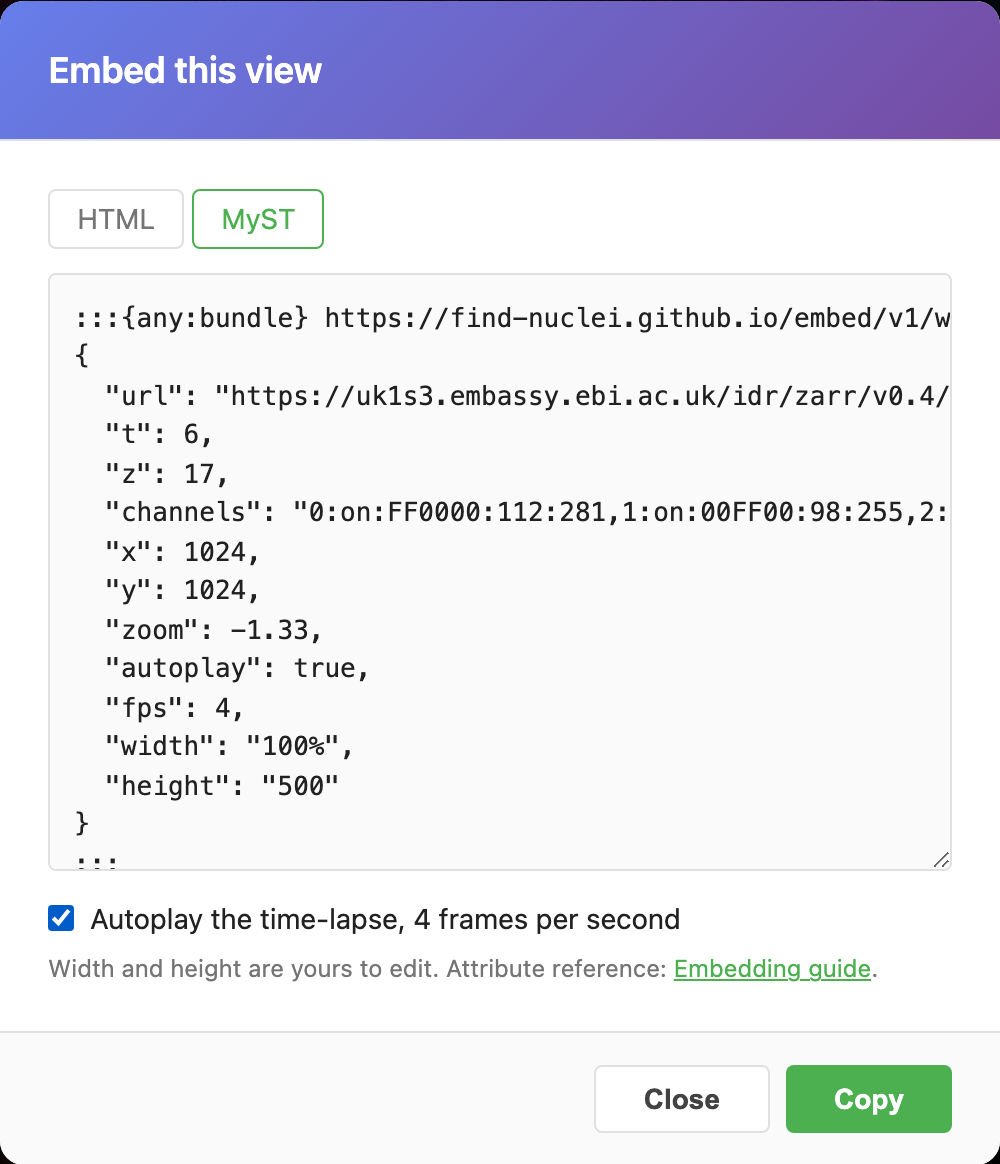
Set up the view in the viewer: position, zoom, channels, contrast, inversion, the frame you want. Then press Embed in the toolbar, the angle-brackets button next to Link.

The dialog shows the same view as an HTML element and as a MyST directive, ready to copy. For a time-lapse it offers an autoplay checkbox. Width and height are yours to edit afterwards.
Quick Start
Add the script once in your page <head>, then place the viewer element anywhere in your content:
<!-- Load once in <head> -->
<script src="https://find-nuclei.github.io/embed/v1/viewer.js"></script>

<!-- Place anywhere in your article -->
<find-nuclei-viewer
  url="https://uk1s3.embassy.ebi.ac.uk/idr/zarr/v0.4/idr0062A/6001240.zarr"
  labels="on"
  width="100%"
  height="500"
></find-nuclei-viewer>
Try it. This is a live viewer:
Pan, zoom, toggle channels, adjust intensity. All interactive. That's it. No build step, no npm, no framework required.
Attribute Reference
| Attribute | Required | Default | Description |
|---|---|---|---|
url | Yes | none | ZARR store URL (HTTP or S3) |
z | No | 0 | Initial Z-slice index |
t | No | 0 | Initial timepoint index |
channels | No | auto | Channel config (see below) |
x | No | center | Initial X position (pixels) |
y | No | center | Initial Y position (pixels) |
zoom | No | fit | Initial zoom level (0 = 1:1, negative = zoomed out) |
width | No | 100% | CSS width |
height | No | auto (16:9) | CSS height |
labels | No | off | "on" to enable all label overlays, or a label name |
image | No | "0" | Image/series index for multi-image ZARR stores |
background | No | black | Canvas background color (black, white, or any CSS color) |
controls | No | minimal | "minimal", "full", or "none" |
token | No | none | Bearer token for authenticated sources |
theme | No | dark | "dark" or "light" |
grayscale | No | off | Render every channel in grey. The viewer's BW toggle. Presence alone means on. |
invert | No | off | Invert the composite. The viewer's INV toggle. Pair with background="white". |
autoplay | No | off | Start time-lapse playback once the image has loaded. Presence alone means on. |
fps | No | 4 | Playback frame rate, clamped to 1..30. |
Channel Configuration
The channels attribute uses a compact string format:
index:on/off:hexcolor:min:maxMultiple channels are comma-separated:
<find-nuclei-viewer
  url="https://uk1s3.embassy.ebi.ac.uk/idr/zarr/v0.4/idr0079A/idr0079_images.zarr"
  channels="0:on:00FF00:8:90,1:on:FF0000:7:80"
></find-nuclei-viewer>
Live: green (lynEGFP) and red (NLStdTomato) channels with custom intensity ranges:
If omitted, channels are auto-detected from the OME-ZARR metadata.
Setting the Initial View
Use x, y, and zoom to point the reader at a specific region of interest:
<find-nuclei-viewer
  url="https://uk1s3.embassy.ebi.ac.uk/idr/zarr/v0.4/idr0079A/idr0079_images.zarr"
  x="500" y="350" zoom="-0.5"
  labels="on"
  width="100%"
  height="350"
></find-nuclei-viewer>
Live: zoomed into the center of the zebrafish embryo with labels enabled:
Finding coordinates
Open the image in the viewer, navigate to the region you want, then check the URL. It contains zm (zoom) and xy (center) parameters you can copy.
Showing Segmentation Labels
If the ZARR dataset contains label images (segmentation masks), enable them with labels="on". Each segmented object gets a unique color. The controls panel includes a label toggle and opacity slider.
<find-nuclei-viewer
  url="https://uk1s3.embassy.ebi.ac.uk/idr/zarr/v0.4/idr0062A/6001240.zarr"
  labels="on"
></find-nuclei-viewer>
See the first example at the top of this page for a live demo with labels.
RGB Images
For RGB brightfield images, set a white background:
<find-nuclei-viewer
  url="https://uk1s3.embassy.ebi.ac.uk/idr/zarr/v0.4/idr0073A/9798462.zarr"
  background="white"
  width="100%"
  height="350"
></find-nuclei-viewer>
Live: RGB zebrafish brain section with white background and unified brightness slider:
The viewer auto-detects RGB data and shows a unified brightness slider instead of per-channel controls.
Multi-Image Stores
A store written by bioformats2raw can hold several images, one per series. The image attribute picks the one to show; the value is the series path, usually "0", "1" and so on. Leave it out to show the first.
<find-nuclei-viewer
  url="https://uk1s3.embassy.ebi.ac.uk/idr/zarr/v0.4/idr0079A/idr0079_images.zarr"
  image="1"
  width="100%"
  height="400"
></find-nuclei-viewer>
The embed loads only the series it shows. An image value the store does not have falls back to the first series rather than failing.
Grayscale and Inverted Views
The viewer has BW and INV toggles. The embed exposes them as attributes, so a view you set up with the share link can be reproduced in an article. Inverted single-channel on white reads like a printed figure:
<find-nuclei-viewer
  url="https://nyu1.osn.mghpcc.org/barkley-replication/nuclei_mosaic.zarr"
  channels="0:on:FFFFFF:0:240"
  invert background="white"
  width="100%"
  height="400"
></find-nuclei-viewer>
Both attributes are boolean: present means on, and "off" or "false" means off.
MyST, Curvenote and Shadow DOM
MyST sites, including journals on Curvenote such as Elemental Microscopy, render widgets inside a shadow root. The element mounts there directly, but a page-level <script> tag is not available in a MyST article, so use the widget module through the any:bundle directive. Every JSON key becomes an attribute of the viewer:
:::{any:bundle} https://find-nuclei.github.io/embed/v1/widget.mjs
{
  "url": "https://your-bucket/image.zarr",
  "channels": "0:on:FFFFFF:0:240",
  "x": 2115, "y": 1688, "zoom": -1.9,
  "height": "500"
}
:::
The module loads the same /embed/v1/viewer.js release as the script tag and follows the anywidget contract, so it also works as a Jupyter widget bundle. If your platform allows neither scripts nor widgets, MyST's iframe directive pointing at a page that hosts the viewer is the fallback. A live comparison of the three routes: MyST and Shadow DOM.
Time-lapse Figures
In the viewer, a time-lapse gets a Play button under the time slider, and Space toggles it. Drag the slider to stop.
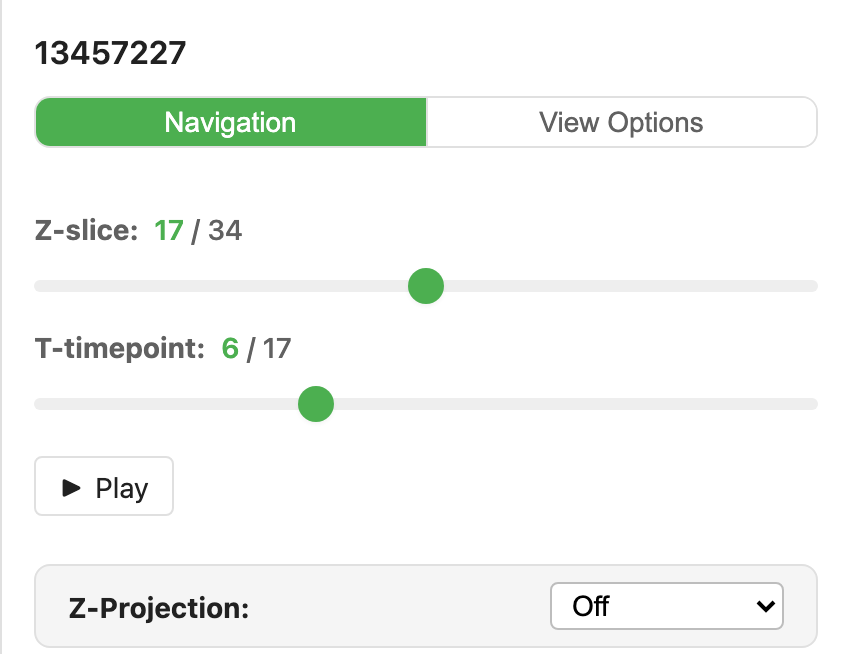
An image with a time axis gets a play button in the bottom bar. Add autoplay and the figure moves as soon as it is on screen, like an animated GIF, and pauses while scrolled out of view. Each frame is shown complete, so on a slow link the tempo drops rather than the frame tearing. fps sets the rate.
<find-nuclei-viewer
  url="https://nyu1.osn.mghpcc.org/barkley-replication/video.zarr"
  autoplay fps="4"
  width="100%"
  height="500"
></find-nuclei-viewer>
In a MyST article the same two keys go into the any:bundle JSON: "autoplay": true, "fps": 4. The viewer plays with Space, or the Play button under the time slider.
Multiple Viewers on One Page
You can embed multiple viewers on the same page. Each is independent. Viewers use lazy loading. They only fetch data when scrolled into the viewport.
WebGL Context Limits
Browsers allow ~8–16 WebGL contexts per page. If you embed more than 8 viewers, some may fail to render. The lazy loading behavior (default) helps mitigate this.
Interactive Controls
The embedded viewer provides these interactive controls:
- Channel dots: Click to toggle channels on/off
- Channel name ▾: Click to open a color picker (12 scientific color presets)
- Intensity sliders: Dual-thumb range sliders per channel (min/max)
- Z-slider: Navigate through Z-slices (if multi-Z)
- T-slider: Navigate through timepoints (if time series)
- Labels toggle: Show/hide segmentation overlays with opacity control
- Fullscreen: Expand the viewer to fill the screen
- "Open in Find Nuclei Viewer": Link to the full app with the same view
JavaScript API
For programmatic control from your page:
const viewer = document.querySelector('find-nuclei-viewer');

// Navigate
viewer.viewer.setZ(10);
viewer.viewer.panTo(500, 300, true);
viewer.viewer.zoomTo(-1, true);

// Change channels
viewer.viewer.updateChannelSettings(0, 100, 3000, true, '00FF00');

// Listen to events
viewer.viewer.on('z-changed', (data) => {
  console.log('Z-slice:', data.z);
});
Style Isolation
The embed uses Shadow DOM for complete style isolation. Your page CSS cannot break the viewer, and the viewer CSS cannot affect your page. This is safe to use in any CMS.
More Examples
See the Publications Demo for a full showcase with four IDR studies.
CDN & Versioning
The embed script is served from:
https://find-nuclei.github.io/embed/v1/viewer.jsThe /v1/ path is versioned. Future breaking changes will use /v2/, so existing embeds continue to work.