Remote URLs
Open images, plates and slides from a web address. Only the parts you look at are fetched.
Streaming turns every read into an HTTP range request, so what you serve from matters more than how fast your connection is. Your OME-ZARR Storage Setup Is Slowing You Down covers which storage handles that pattern well, and why an NFS or SMB mount usually does not.
Opening an Address
- Click Open Image on the landing page.
- Paste the address into the From URL tab.
- Click Load from URL.
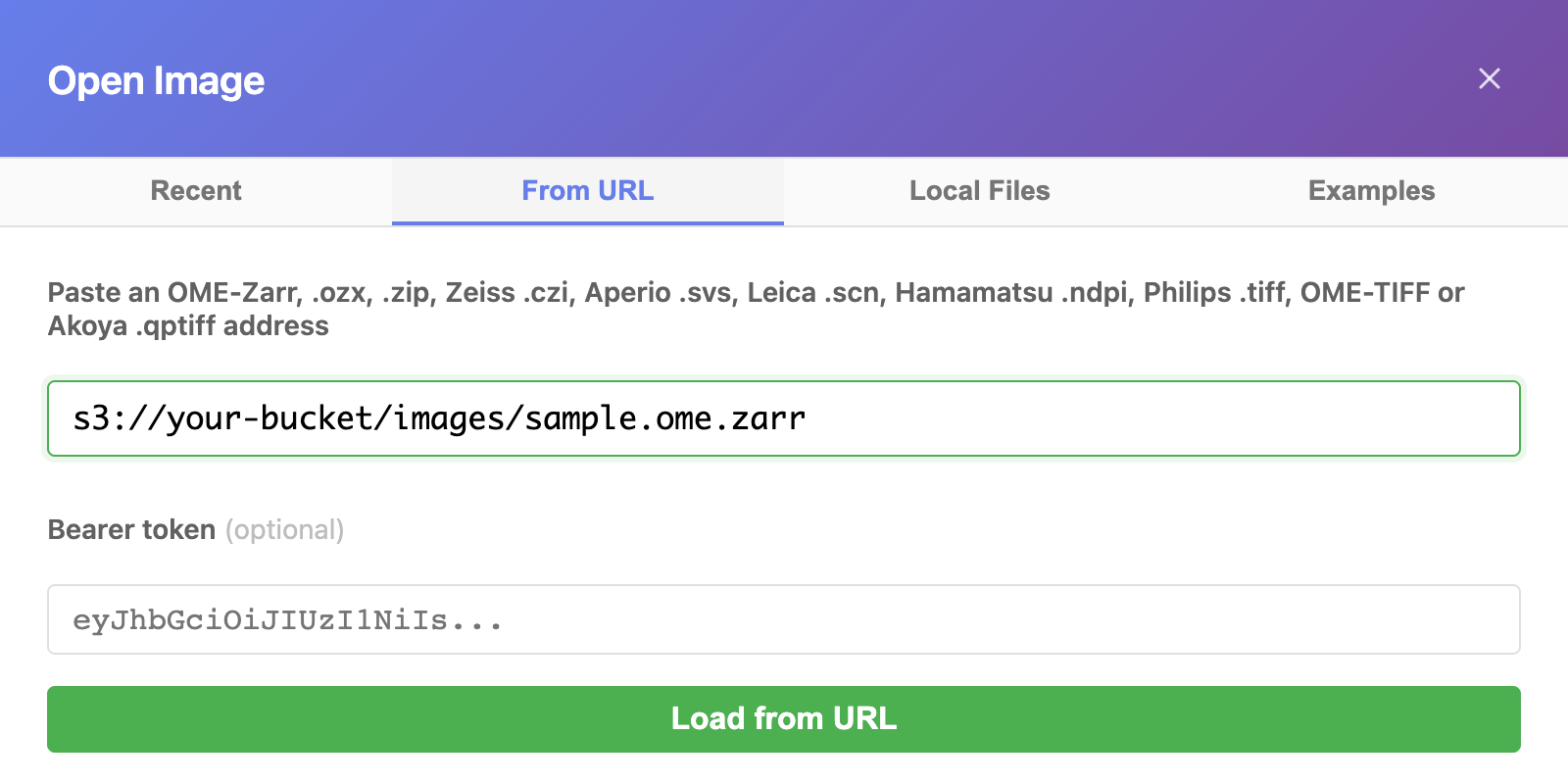
The address can point at:
An OME-Zarr dataset, as a folder or as one zipped
.ozxor.zipfile. See OME-Zarr.A Zeiss
.czifile, or a zip without compression of a plate saved as one CZI per field. See Zeiss CZI Files.A Leica
.lifproject, every image in it. See Leica LIF Files.An Opera Phenix or Yokogawa plate: its measurement folder, its index file, or a zip of the folder. See Opera Phenix Plates and Yokogawa CellVoyager Plates.
An OME-TIFF or a slide file:
.ome.tiff,.svs,.ndpi,.scn, Philips.tiff, or the.mrxsfile of an MRXS slide.A zip without compression of an MRXS or DICOM slide.
The viewer reads only what the view needs. It never downloads the whole file or folder first.
Kinds of Address
https://. Any web server or bucket that meets What the Server Needs.s3://. Pastes3://bucket/pathand the viewer reads the bucket's public https address. A bucket name with a dot works this way in us-east-1. In other regions, paste its regional https address.gs://. Pastegs://bucket/pathfor a public Google Cloud bucket with cross-origin access turned on.- A private link, such as a presigned S3 link. It works as it is, query and all. See Private Images and Slides.
- A Dropbox file link. See below.
Dropbox file links
Put the file in Dropbox: a zipped OME-Zarr, a .czi, or any other format that is one file, copy its link (Share, then Copy link), and paste the link as it is. The viewer reads the file from Dropbox's download address. The address bar and Copy link keep the link you pasted.
Dropbox file links work, but they are not the best way to share data for viewing. Dropbox takes several seconds to answer each read, so opening a large image can take a minute or more. For data you view often, put it in object storage (S3, R2, GCS) or on any web server that supports range requests.
Dropbox folder links, Google Drive, OneDrive and Proton Drive are not supported. See Cloud Drives.
Anyone who has the link can open the file, in the viewer or anywhere else.
What the Server Needs
- CORS. The server must allow the viewer's page to read it. For the hosted viewer, that is
https://find-nuclei.github.io. Most public OME-Zarr servers, such as the IDR and the BioImage Archive, already do. - Range requests, so it can send part of a file. S3, Cloudflare R2, Google Cloud Storage and most web servers do. A one-file format and every zip need them. If a server sends the whole file instead, the viewer stops and says so. Download the file and open it from your disk.
A CORS rule for an S3 bucket:
[{
    "AllowedOrigins": ["https://find-nuclei.github.io"],
    "AllowedMethods": ["GET", "HEAD"],
    "AllowedHeaders": ["*"],
    "ExposeHeaders": ["Content-Length", "Content-Range", "ETag"],
    "MaxAgeSeconds": 3000
}]
Content-Range must be exposed: without it the browser hides the size of a file read in parts.
Publishing a Slide or a Plate
Showing a whole slide, an Opera Phenix plate or a CellVoyager plate with a paper, a figure or a blog post? Publish a small file next to it, and your readers see it at once. The image files stay where they are. OME-Zarr needs no such file: its layout is a few small files, and every piece of the image has its own address.
Slide Index
For whole-slide and TIFF files: Aperio SVS, Hamamatsu NDPI, Philips TIFF, Leica SCN, Akoya QPTIFF and OME-TIFF.
A slide far away opens slowly the first time. Before the first picture, the viewer reads the file's layout, piece after piece, and every piece travels there and back. The same slide opens again in under a second, because the viewer keeps that layout in your browser. A slide index gives every reader that speed on the first open.
- Open the slide by its address.
- Click Info, the (i) button in the toolbar, then Save slide index. The viewer reads the rest of the slide's layout and saves
<slide>.slide-index.json: a few megabytes for a slide of several gigabytes. - Host the file on a server that allows CORS, and share its address instead of the slide's:
https://find-nuclei.github.io/?url=<index URL>. The viewer opens the slide.
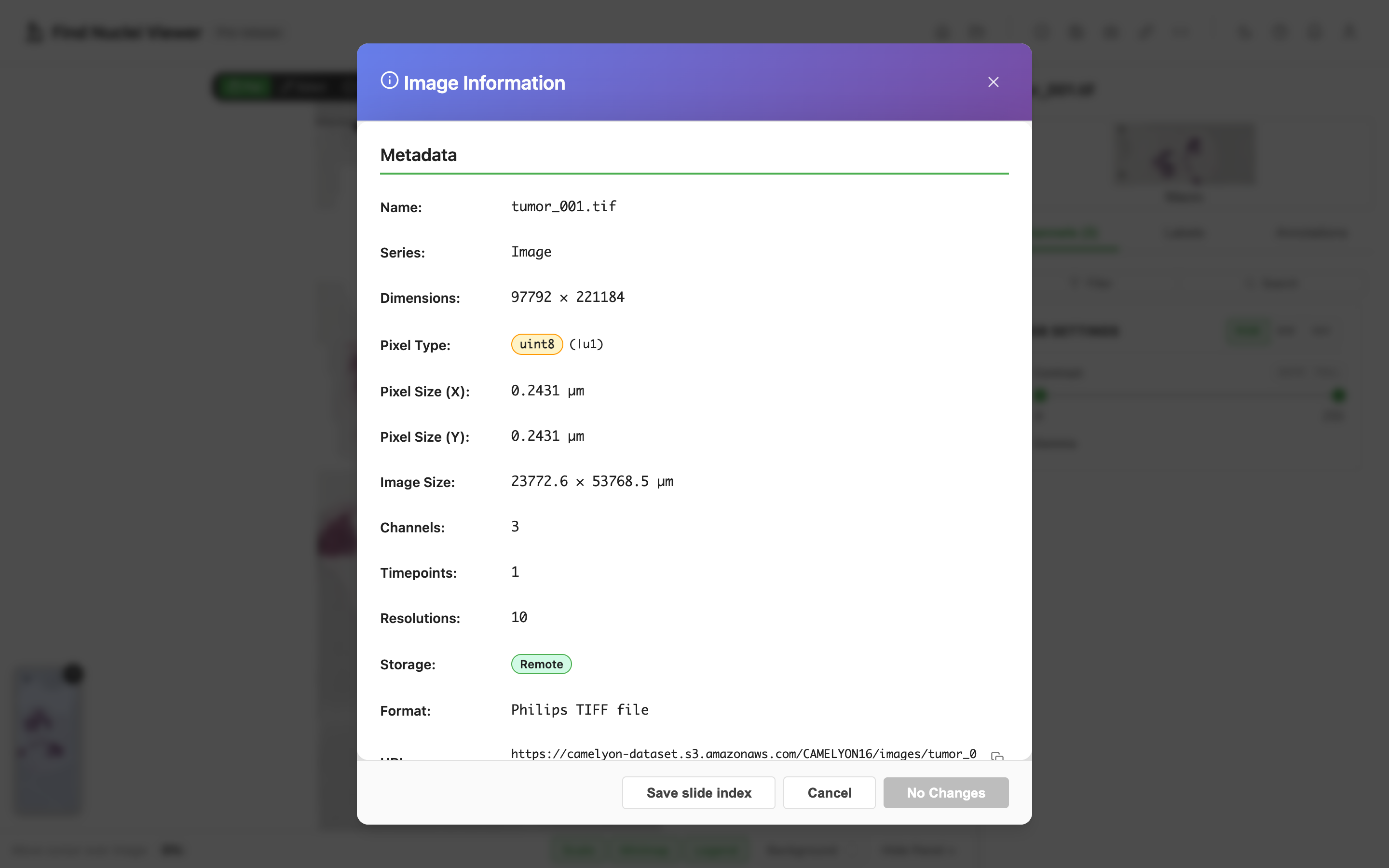
- It follows the slide's version. The index records the slide's ETag and date. If the slide changes, the viewer passes the index over and reads the slide as usual.
- It carries the colour profile. When the viewer has the slide's large colour profile, the index holds it too, so the slide opens in true colour with no download.
- The format is a published JSON Schema, so any tool can write one: slide-index v1.
Plate Manifest
For Opera Phenix and Yokogawa CellVoyager plates. An OME-Zarr plate needs no manifest.
These plates open from the instrument's index, which on a large plate takes a minute to read. A published manifest opens the plate without reading its index.
- Open the plate by its address.
- Click Info, then Save plate manifest. The viewer first reads the whole index, then saves
<plate>.plate-manifest.json. - Host the file next to your page, on any web server or on GitHub, and open it by its address in From URL. A link to the viewer works too:
https://find-nuclei.github.io/?url=<manifest URL>.
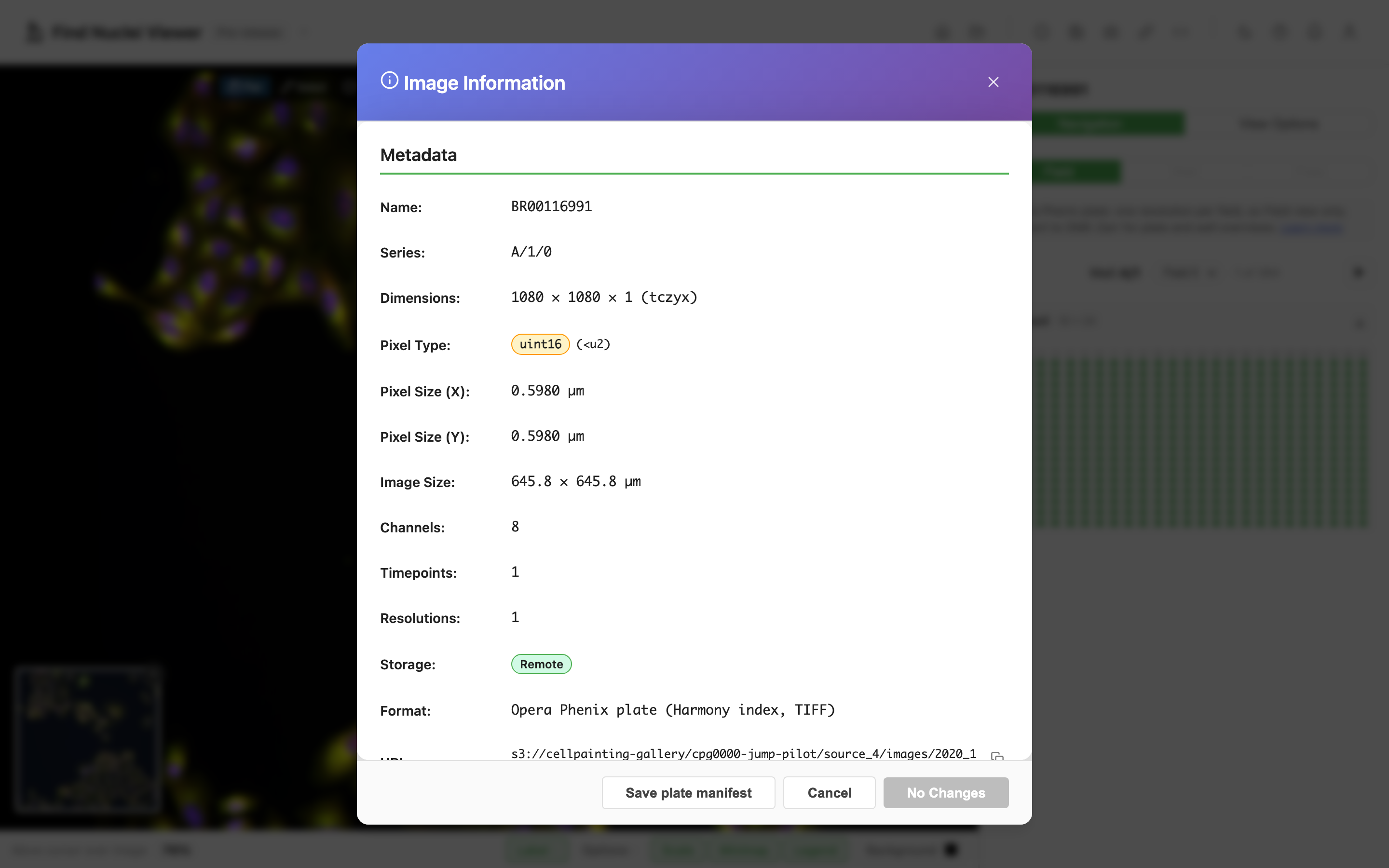
- The images stay where they are. The manifest points at them by their full address, and their bucket must let browsers read it, as for any plate on the web.
- A manifest saved from a folder on disk names no images folder. Put it in the
Images/folder next to the TIFFs, then open its address. A manifest file does not open from disk; open the folder instead. - The format is a published JSON Schema: plate-manifest v1.
Cloud Drives
Dropbox folder links, Google Drive, OneDrive and Proton Drive do not open. They share a web page, not the files inside, and the viewer has to read the files one by one. Proton Drive is also end-to-end encrypted, so its servers cannot hand out readable files at all.
What works instead:
- Share one file from Dropbox. Zip an OME-Zarr dataset into one
.ozxfile, or share a single-file format as it is. See Dropbox file links. - Open it from your disk. Download it, then open the file (any browser) or the folder (Chrome or Edge). See Local Files.
- Put it on object storage with CORS enabled, such as S3, Cloudflare R2 or Google Cloud Storage, and open its URL.
- Serve it from your own server. The Data Server guide covers it.
Public Data to Try
These repositories serve their files so the viewer opens them by address. Nothing is downloaded. Each link opens one example.
| Repository | What opens | Example |
|---|---|---|
| Genomic Data Commons | Open TCGA slides (Aperio SVS), by https://api.gdc.cancer.gov/data/<file id> | TCGA-05-4245, lung adenocarcinoma |
| Image Data Resource | OME-Zarr images and plates, in 2D and 3D | Zebrafish lateral line, idr0079 |
| BioImage Archive | Files as the authors uploaded them, such as CZI, and its OME-Zarr images | Confocal CZI, S-BIAD4045, Xenium DAPI image, S-BIAD2339 |
| Cell Painting Gallery | Opera Phenix and Yokogawa CellVoyager plates, from their folder | CellVoyager plate 1053601756 |
| CAMELYON16 on AWS Open Data | Lymph node slides, with the tumour outlines in ASAP XML | tumor_001 with its outlines |
| Zenodo | Any file the viewer reads, by its link that ends in /content | CZI test plate, record 7015307 |
Some servers only send whole files. The OpenSlide test data is one: download a slide, then drop it on the viewer.
Each format's guide lists public files that open here. OME-Zarr points at the Image Data Resource, and Zeiss CZI Files at public CZI files. Or click Open Example on the landing page for datasets known to work well.
Related guides
- Local Files: the same formats from your disk
- Private Images and Slides: a private link or a token
- Data Server: serve a folder from your own machine