Leica LIF Viewer
Open a .lif project from Leica LAS X with every image in it. Confocal Z-stacks, time series and tile scans from SP5, SP8 and Stellaris systems open as they are. No Fiji, no Bio-Formats export, no upload.
How It Opens
- One file on your disk, in any browser. Drop it on the viewer, or click Open Image and Choose File. See Local Files.
- An address:
https://,s3://orgs://, or a Zenodo file link that ends in/content. Paste it under Open Image. See Remote URLs. - Private data, with a private link or a token. See Private Images and Slides.
The viewer reads only the parts it shows. A 3 GB project opens in a few requests, and pictures arrive as you look at them.
What You Will See
- Every image of the project. The Series list names each one by its place in the project, such as
FRET_AB_423_001/Bleach003. Folders are not listed. - Channels. Colours come from the LUT each channel was recorded with in LAS X.
- Z and time. Sliders step through the planes, in the order they were recorded. A Z-stack can also be viewed in 3D. See 3D Rendering.
- Tile scans, stitched. The tiles are placed where the stage recorded them, and a later tile covers an earlier one where they overlap. When LAS X also saved its own stitched copy, the Merged image, it is listed next to the tile scan. LAS X aligns tiles when it merges, so where you need seamless edges, open the Merged image.
- 8, 12 and 16-bit data. 12-bit images open with their full range.
- Pixel size and Z step from the file. To set your own, see Pixel Size and Magnification.
LAS X stores each image at one resolution. The viewer makes the lower resolutions itself, so zooming out stays smooth.
If an Image Is Not Shown
A project can hold images the viewer cannot show yet. The others open, and a note names what was left out:
| What the image has | What the viewer says |
|---|---|
| One plane of all channels over 256 MB | too large to open without a pyramid. Convert it to OME-Zarr to open it here. |
| A spectral (λ) or another axis | has a spectral (λ) axis, which the viewer does not show yet. |
| A tile scan stored mirrored or turned | a tile scan stored mirrored or turned. Open its Merged image instead, if the project has one. |
| Float or 32-bit samples | 32-bit data, which the viewer does not read yet. |
When no image of a project can be shown, the file does not open, and the note lists every reason. Convert it to OME-Zarr to open a very large image with every resolution.
Public LIF Files to Try
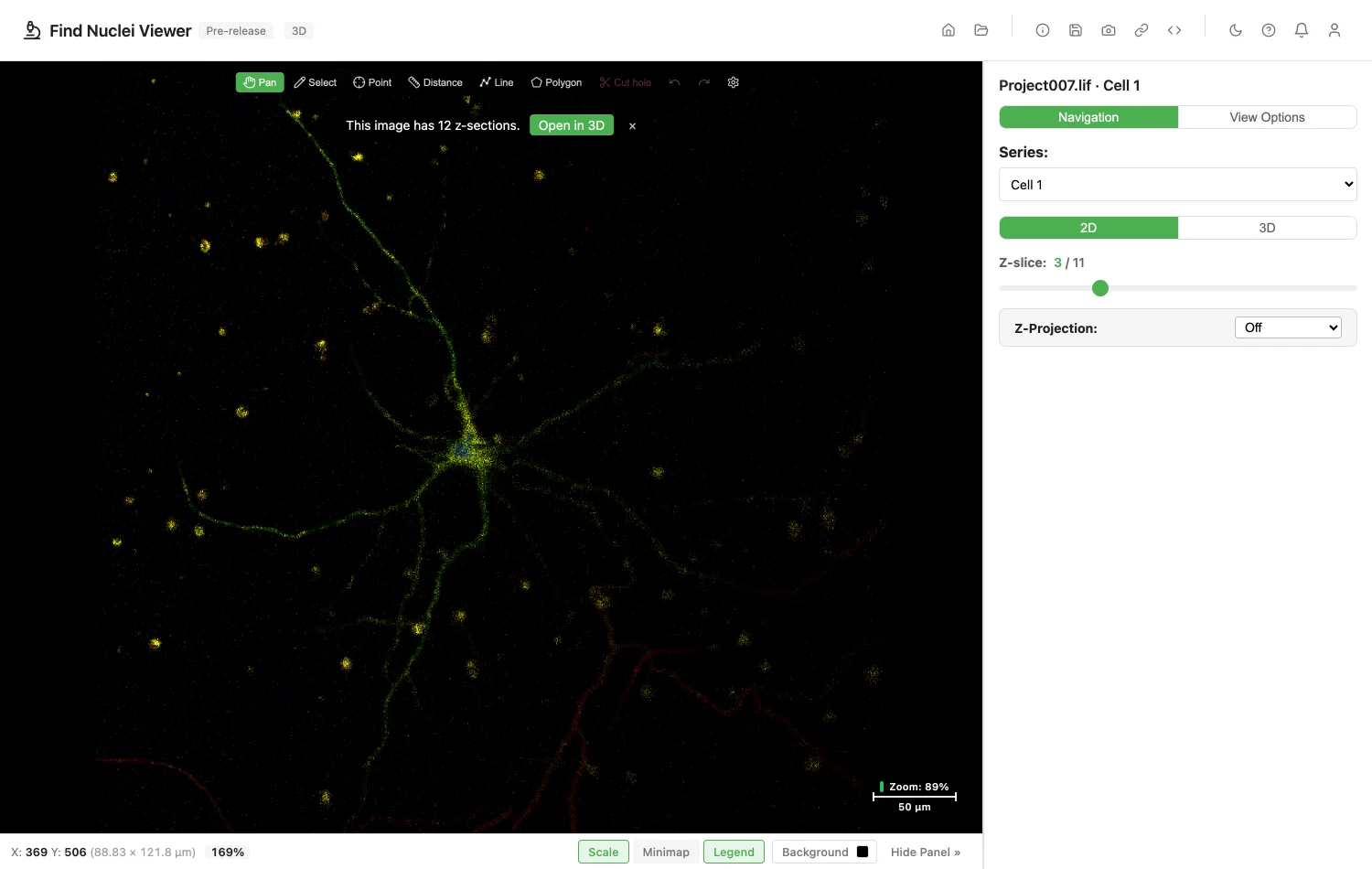
- Project007.lif: confocal Z-stacks of a neuron and a 2 x 2 tile scan with its Merged image. Peter Zentis, Zenodo 6606445, CC BY 4.0.
- AMR1.lif: 3 GB, 12-bit, five channels, three tile scans with their Merged and processed copies. Pamela Young, Zenodo 15353569, CC BY 4.0.
For Your IT Team
To open a file by address, the server must answer byte-range requests and allow them through CORS. For a bucket, allow GET and the Range header in its CORS rules. What the Server Needs has the details.
Image credits
The screenshot uses Project007.lif, (c) Peter Zentis, Zenodo 6606445, CC BY 4.0. See Sample Data and Credits.
Privacy
The file is read in your browser. Opening one counts as one opened image of the kind "Leica LIF file". The file name and address are never recorded. See the privacy policy.