Nikon ND2 Viewer
Open .nd2 files saved by Nikon NIS-Elements, from today's files back to the first ND2 format. Every channel, XY position, Z-stack and time series opens as it is. No Fiji, no Bio-Formats export, no NIS-Elements Viewer, no upload. ND2 files shared on Zenodo and in lab archives open here by their link.
How It Opens
- One file on your disk, in any browser. Drop it on the viewer, or click Open Image and Choose File. See Local Files.
- An address:
https://,s3://orgs://, or a Zenodo file link that ends in/content. Paste it under Open Image. See Remote URLs. - Private data, with a private link or a token. See Private Images and Slides.
What You Will See
- Channels with the names and colours NIS-Elements gave them, such as
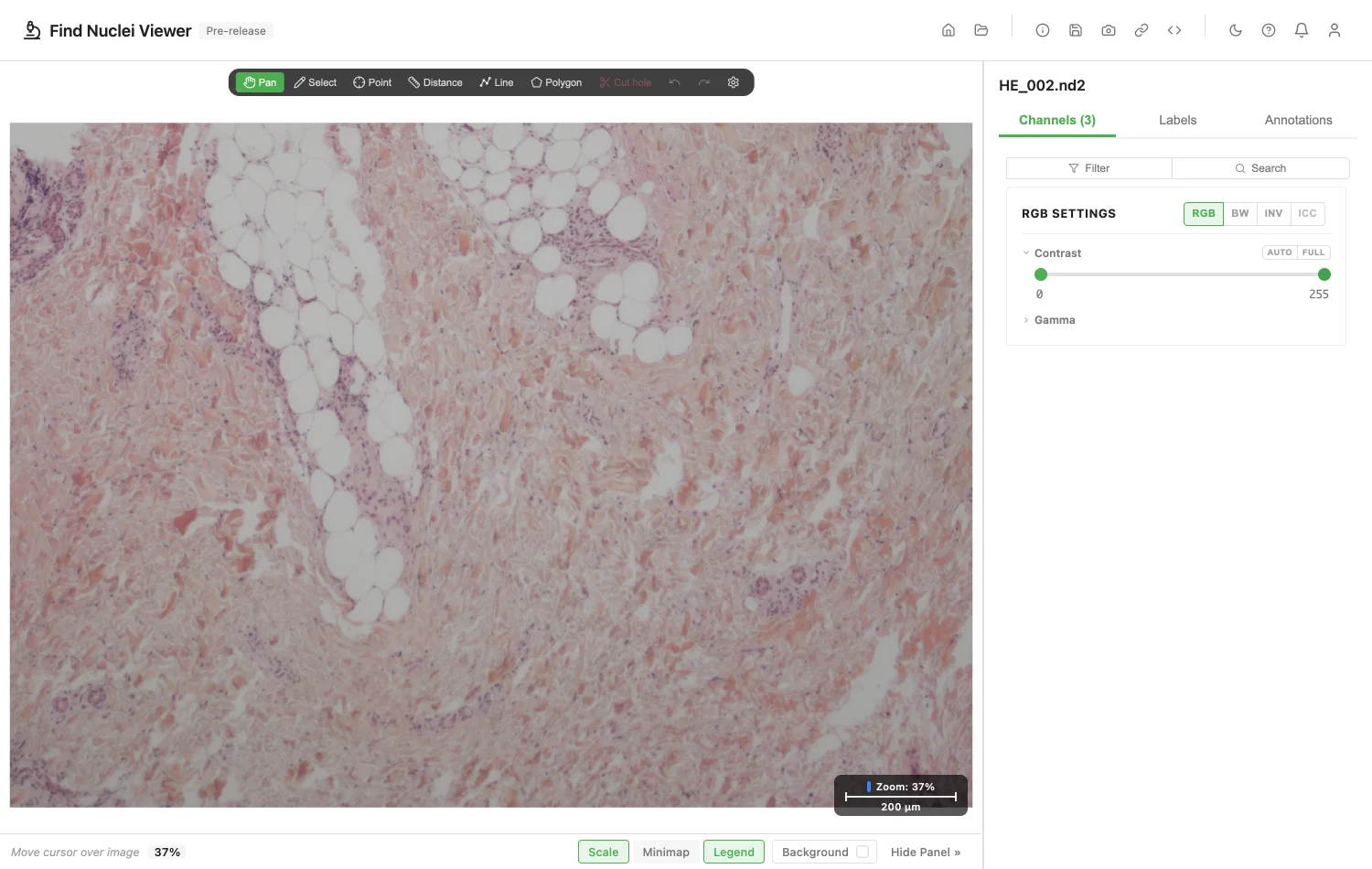
CSU green RNA. - Colour camera images (brightfield, H&E) as a colour photograph, not as three fluorescence channels.
- XY positions of a multipoint experiment in the Series list, by the names the file gives them, or Position 1, Position 2 and on.
- Z and time. Sliders step through the planes. A Z-stack can also be viewed in 3D. See 3D Rendering.
- 8, 12, 14 and 16-bit data. 12 and 14-bit data open with a display range that fits their depth.
- Files of every ND2 generation: today's files, older files that keep their metadata as XML, and the first ND2 format, whose frames are JPEG 2000.
- Pixel size, Z step and time interval from the file. To set your own, see Pixel Size and Magnification.
An ND2 stores one resolution. The viewer makes the lower resolutions itself, so a large image zooms out and opens in 3D.
If a File Does Not Open
The viewer tells you why.
| What the file has | What the viewer says |
|---|---|
| Frames saved with lossy (JPEG) compression | This ND2 is saved with lossy compression, which the viewer cannot read yet. |
| A spectral or custom loop that is not channels, Z, time or XY positions | This ND2 has a spectral or custom loop, which the viewer does not show yet. |
| Samples that are not 8 or 16-bit whole numbers, such as 32-bit | This ND2 has a pixel type the viewer cannot read yet (32-bit). |
| One plane of all channels over 256 MB | too large to open without a pyramid. Convert it to OME-Zarr to open it here. |
| A file that is cut short, or a damaged chunk map | This ND2 looks damaged or incomplete. |
Convert to OME-Zarr to open a very large image with every resolution.
Public ND2 Files to Try
- HE_002.nd2: an H&E section from a colour camera. George Campbell, Zenodo 12734440, CC BY 4.0.
- MRAP1 KO DN_10X03.nd2: a stained section, brightfield. hfriedman97, Zenodo 10277961, CC BY 4.0.
- Experiment_0001.nd2: a Z-stack of 17 planes. Bob Goldstein, Zenodo 17186598, CC BY 4.0.
For Your IT Team
To open a file by address, the server must answer byte-range requests and allow them through CORS. For a bucket, allow GET and the Range header in its CORS rules. An ND2 keeps its map at its end, so the viewer also asks for the file's size. What the Server Needs has the details.
Image credits
The screenshot uses HE_002.nd2, George Campbell, Zenodo 12734440, CC BY 4.0. See Sample Data and Credits.
Privacy
The file is read in your browser. Opening one counts as one opened image of the kind "Nikon ND2 file". The file name and address are never recorded. See the privacy policy.