Keyboard Shortcuts
Every key of the viewer, in one place. The viewer lists them too: click Help (the ? at the right of the top bar), then Keyboard shortcuts, or press ? or F1. In 3D the list opens on its 3D group.
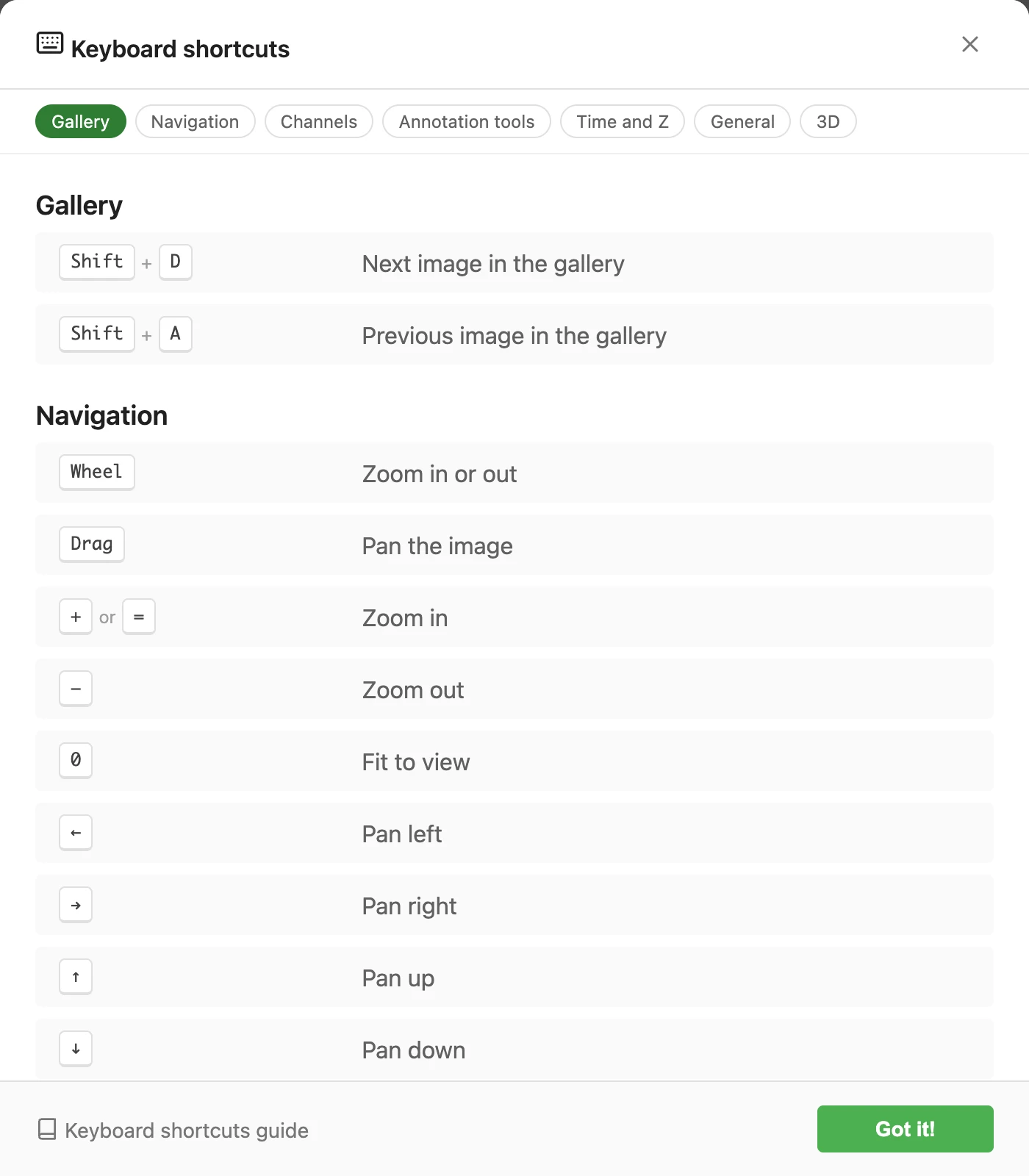
On a Mac, Cmd is the ⌘ key. On Windows and Linux it is Ctrl. The viewer shows the one your computer uses.
A key does nothing while you type in a text field. A phone has no keyboard, so its Help menu leaves Keyboard shortcuts out.
The Help menu
Help at the right of the top bar opens a small menu:
- Keyboard shortcuts lists every key, as on this page.
- Guides opens these guides in a new tab.
- What's new shows what came in the latest release, one change at a time, with a picture. The arrow keys step through the changes.
- Send feedback opens a short page where you tell us what to build next.
- About Find Nuclei Viewer opens the same About as the start page: what the viewer does, examples to try and the browsers it runs in.
The arrow keys move through the menu. Esc closes it.
Gallery
These work in 2D and 3D. See Folders, Zips and Series.
| Keys | Action |
|---|---|
Shift + D | Next image in the gallery |
Shift + A | Previous image in the gallery |
Navigation
| Keys | Action |
|---|---|
| Wheel | Zoom in or out |
| Drag | Pan the image |
+ or = | Zoom in |
- | Zoom out |
0 | Fit to view |
← | Pan left |
→ | Pan right |
↑ | Pan up |
↓ | Pan down |
M | Toggle minimap |
Channels
See Channels.
| Keys | Action |
|---|---|
1 to 9 | Toggle channel 1-9 |
A | Toggle all channels |
A turns all channels off when any is on, and all on when none is.
Annotation tools
See Annotations.
| Keys | Action |
|---|---|
V | Select / edit tool |
H | Pan tool |
Space | Hold for temporary pan while a tool is active |
B | Point tool |
D | Distance tool |
L | Line tool |
P | Polygon tool |
K | Cut hole tool (needs polygon selected) |
Esc | Clear the selection, then put the tool down |
Delete or ⌫ | Delete selected annotation |
← ↑ → ↓ | Nudge selection (Shift = 10px) |
Cmd + Z | Undo annotation change |
Cmd + Shift + Z | Redo annotation change |
Cmd + C | Copy selected annotation |
Cmd + V | Paste annotation (across tabs too) |
Shift + Click | Cut hole mode: Shift-click a hole to remove it |
Time and Z
| Keys | Action |
|---|---|
] or PgDn | Next Z slice |
[ or PgUp | Previous Z slice |
. or > | Next timepoint |
, or < | Previous timepoint |
Space | Play / pause time-lapse |
General
| Keys | Action |
|---|---|
Cmd + Shift + S | Download screenshot |
? or F1 | Keyboard shortcuts |
Esc | Close a dialog |
3D
While 3D shows the image, these keys are the 3D view's. See 3D Rendering.
Mouse in Crosshair mode
Crosshair is the default mode. The 3D view follows the crosshair too.
| Keys | Action |
|---|---|
| Click or drag | Move the crosshair. Every plane follows |
| Wheel | Move the slice |
Cmd + wheel | Zoom |
Shift + drag | Pan |
Mouse in Pan mode
The hand on the toolbar, next to Crosshair, picks Pan mode too.
| Keys | Action |
|---|---|
| Drag | Pan |
| Wheel | Zoom |
Cmd + click | Move the crosshair |
Cmd + wheel | Move the slice |
H | Switch to Pan mode |
Tools
The second bar holds the tools. Point, Line, Angle and Text are under More. Draw on any plane. Annotation | Structure switches what you draw.
| Keys | Action |
|---|---|
V | Select |
P | Polygon. Drag for freehand |
W | Wand |
E | Wand eraser on or off |
R | Brush |
D | Distance |
B | Point |
L | Line |
G | Angle |
T | Text |
Cmd + click | Move the crosshair while a tool is on |
Enter | Finish the shape or the structure |
Esc | Cancel the shape, or put the tool down |
Delete or ⌫ | Delete the selected shape, or the last point |
Cmd + Z | Undo |
Cmd + Shift + Z | Redo |
Structure mode outlines one structure over several slices. Its volume shows in 3D. A shape is full on its own slice and faint on the other slices of its plane. It also shows where it crosses the two other planes. Lines and outlines show in 3D.
Position
The Position card holds the X, Y and Z sliders and, on a time-lapse image, T.
| Keys | Action |
|---|---|
M | Fold or open the Position card |
, or < | Previous time point |
. or > | Next time point |
View
| Keys | Action |
|---|---|
+ or = | Zoom in on the plane under the mouse |
- | Zoom out of the plane under the mouse |
0 | Fit the planes |
Space + drag | Pan with any tool |
1 to 9 | Turn a channel on or off |
A | Turn all channels on or off |
| Drag | Orbit, in the 3D panel |
Shift + drag, or right drag | Pan, in the 3D panel |
| Wheel | Zoom, in the 3D panel |
| Double-click | Reset, in the 3D panel |
? or F1 | Keyboard shortcuts |
Gallery in 3D
Shift + D opens the next image in the gallery and Shift + A the previous one, as in 2D.
Related guides
- Folders, Zips and Series: the gallery the
Shift+DandShift+Akeys step through - Annotations: the drawing tools behind the tool keys
- 3D Rendering: the 3D view, its modes and its panels